Project Description:
While employing the laser cutter, create a composition made up of overlapping layers
Preparing for the laser cutter…
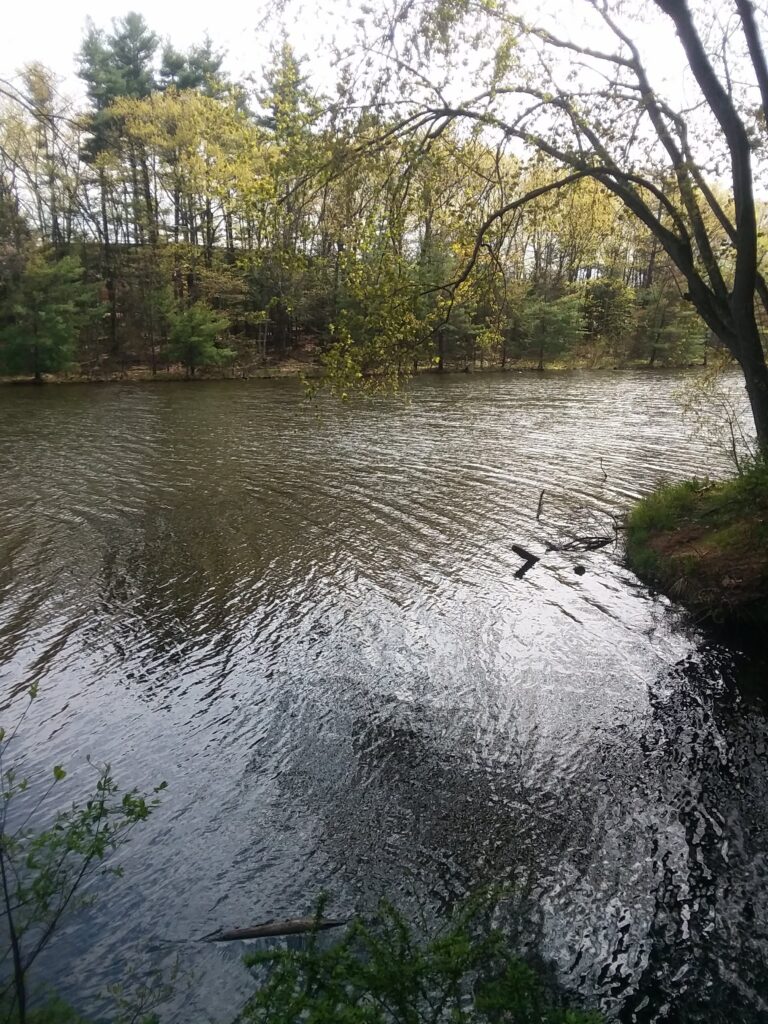
This is an image of Mine Falls, which is a series of nature trails near my former high school.
Depth is evident in the contrast between the back and foreground forestation, and the river fits perfectly as a layer to emphasize this separation.
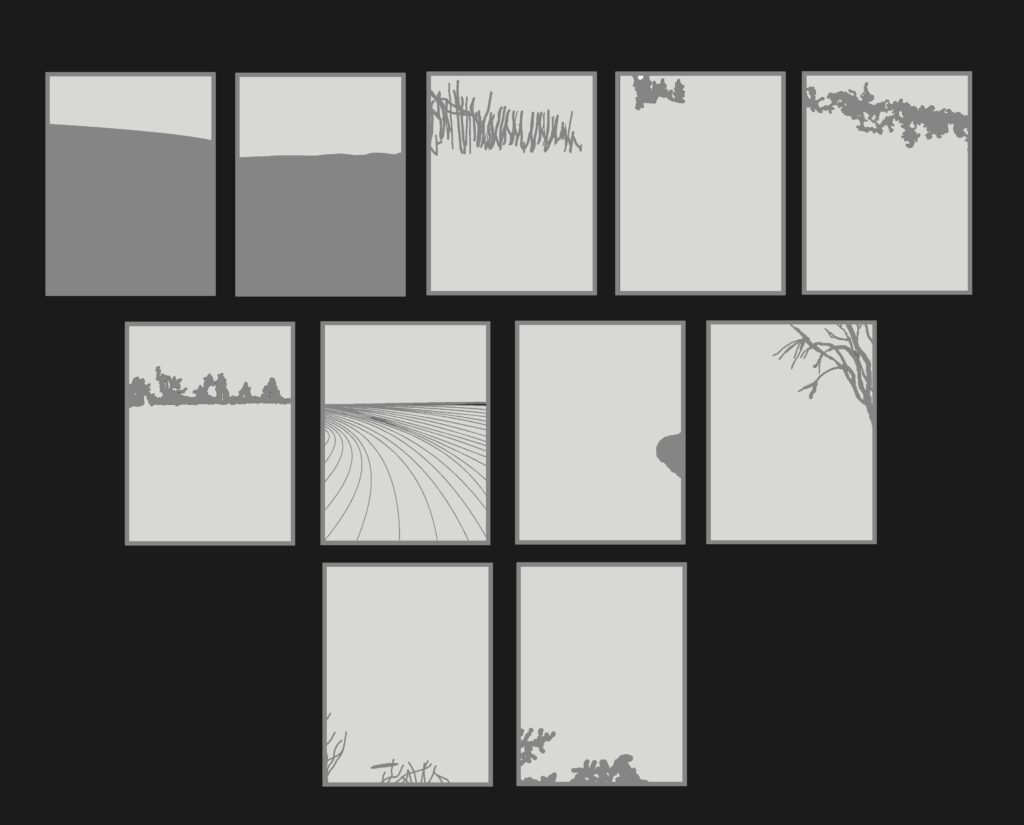
Originally, my plan was to use a drawing software to replicate the objects in the landscape, but since some subjects were too complicated, such as the multiple thin branches hidden behind the leaves, I decided to instead free hand the layers and then edit them in Pixlr Editor (a software similar to Adobe Photoshop). In total, 11 layers were made.
Final Observations:
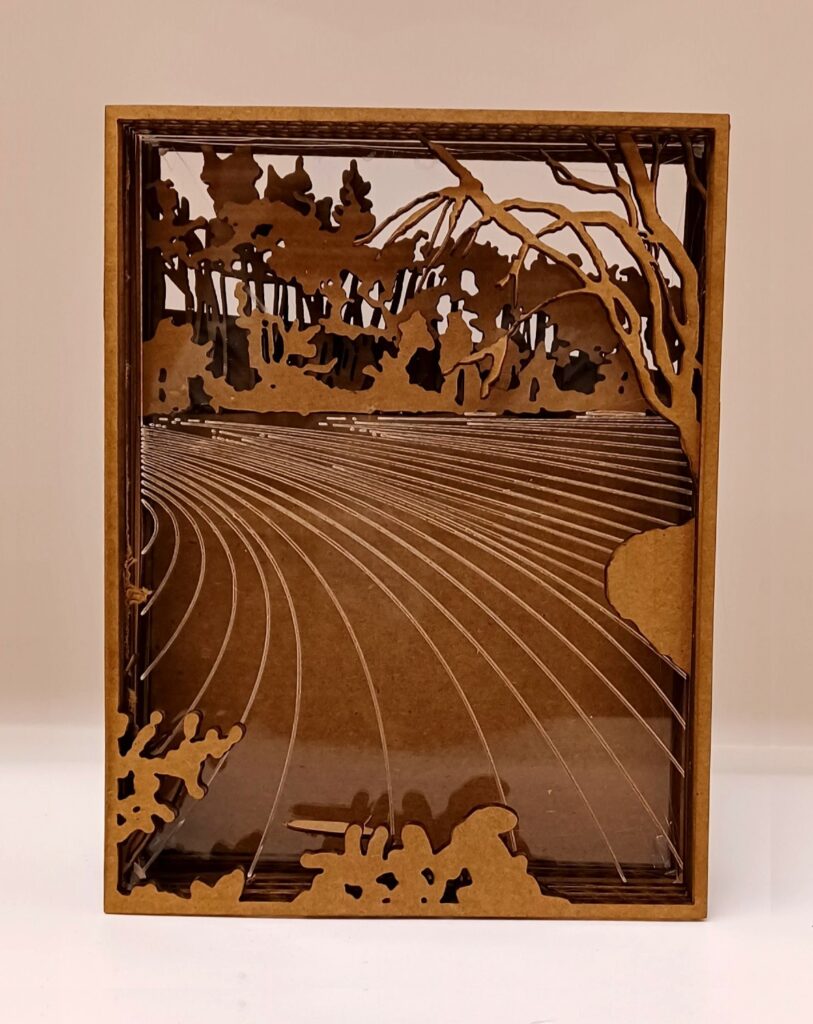
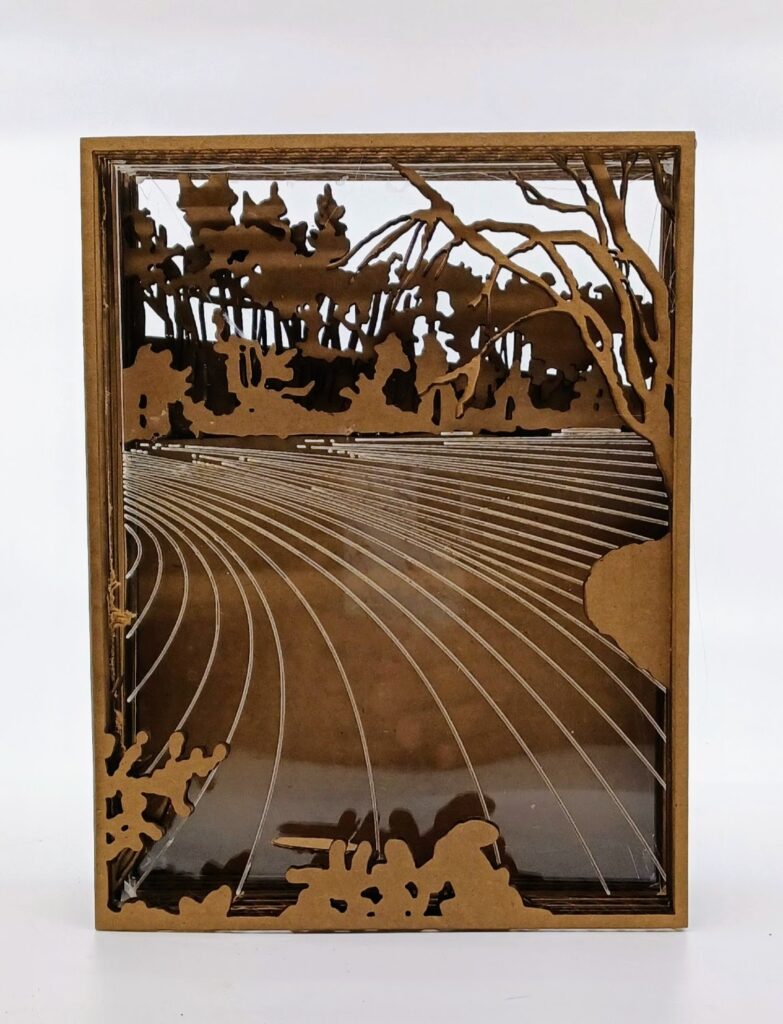
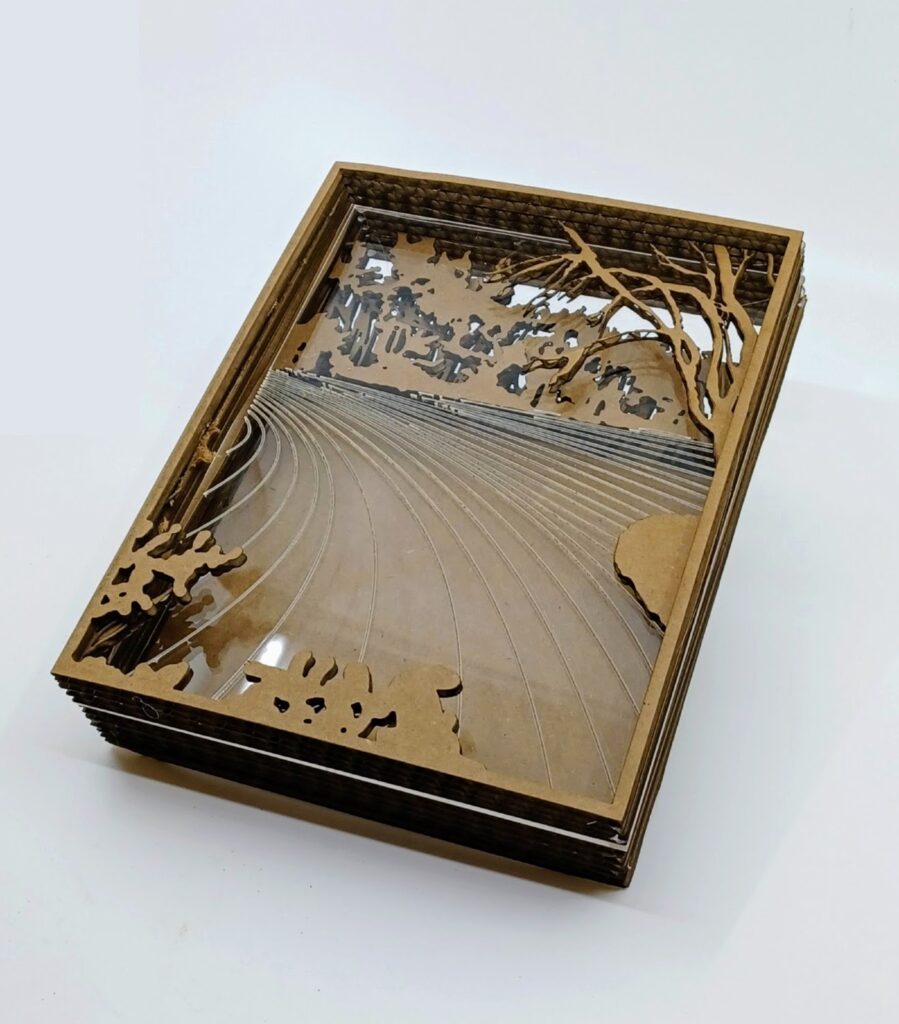
To be honest, I am very pleased on how my light box came out.
I took advantage of the acrylic’s transparency and reflection to drastically show the space between the two grounds. Combined with the light source, it seems like a viewer can actually see real water. The overlapping of the subjects is also very strong as the shadows cast build to its realism.
At the beginning, there were some concerns on how the laser cutter handle the small details of my compassion, especially dealing with my chosen layer material being 6″x 8″ cardboard. Most of the cutouts were fine, but there were some that needed to redo a few times.
I also had to change my initial idea for the river since I found out one of the machine’s limitations. Using an acrylic sheet, I hoped for the area above the water to be removed while the water’s ripples would be engraved to show some foreshortening. However, both couldn’t be done simultaneously and would be too difficult. But after seeing the finished product, I am happy with the outcome.